“Before we dive into what Claude AI is, I want to tell you something: This very article you’re reading? I wrote it WITH Claude AI’s help. And that’s exactly why I’m writing about it!”
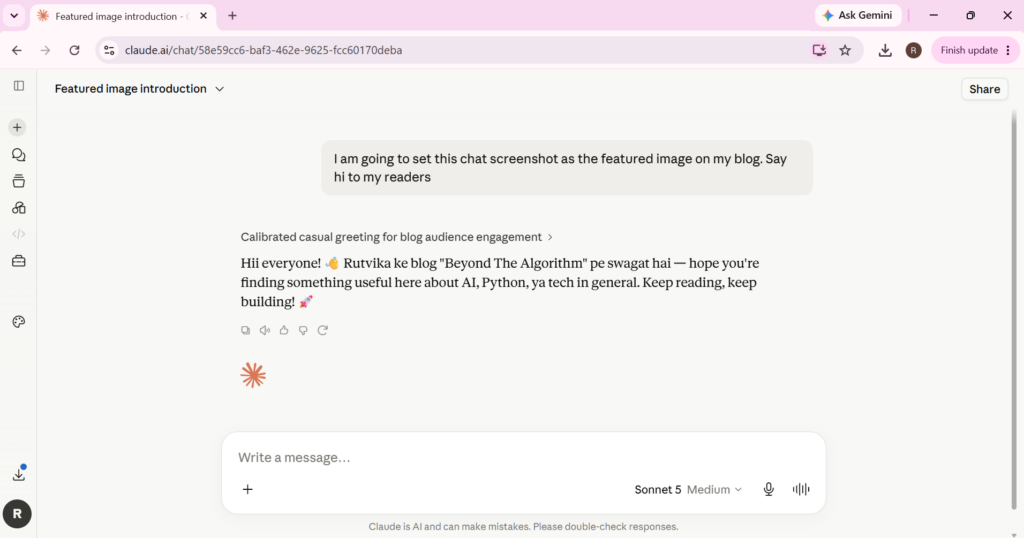
What if an AI could write your emails, debug your code, analyze a 50-page report, and still explain quantum physics to your grandmother — all in the same conversation? Meet Claude AI, the AI assistant redefining what “helpful” actually means.
what is claude ai?
So, what exactly is Claude AI? Simply put, Claude is an AI assistant — a sophisticated large language model developed by Anthropic, an AI safety and research company. Think of it as your intelligent companion designed to be helpful, harmless, and honest.
Here’s what makes Claude AI special: it can understand and generate human-like text, write and debug code, analyze documents and images, and help you with everything from creative writing to complex research. Whether you’re a student, developer, content creator, or researcher, Claude AI adapts to what you need.
But here’s the thing — Claude isn’t just one app. It’s available across multiple platforms. You can use the Claude.ai web and mobile apps for everyday tasks, Claude Code if you’re a developer, or the Claude API if you’re building AI-powered products for your business.
How Does Claude ai Work?
Think of Claude like a highly-read student who has studied millions of books and conversations, and instead of memorizing answers, learned to reason and respond the way a helpful, thoughtful person would.
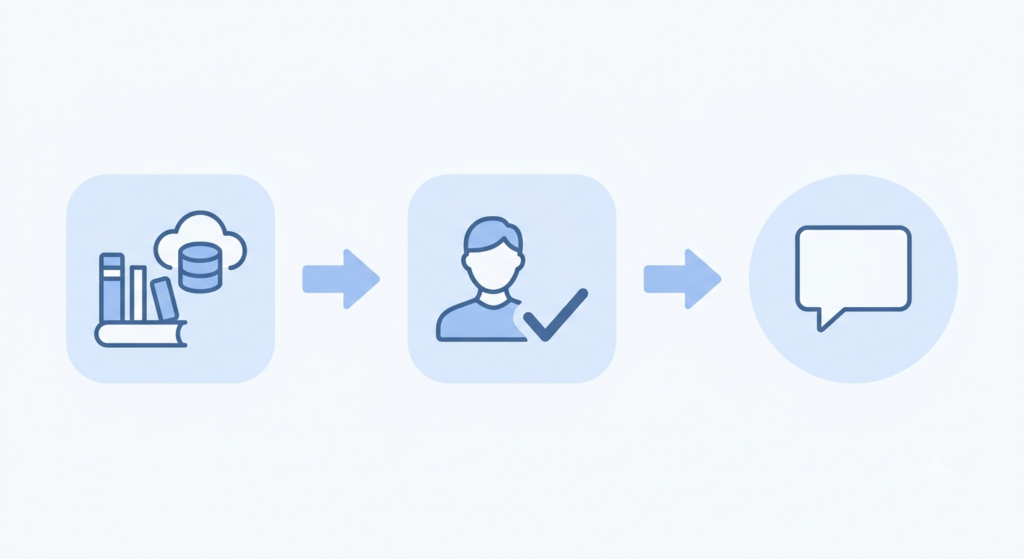
But how does that actually happen? Let me break it down for you:
1. Starting with Massive Text Data
First, Claude AI is built on something called a transformer-based neural network. In simple terms? It’s trained on HUGE amounts of text — books, articles, code, websites, and more. During this training phase, Claude learns language patterns, facts, how things connect, and basically how humans communicate. It’s like reading millions of books at lightning speed.
2. Learning from Human Feedback (RLHF)
After this initial training, Claude doesn’t just stop. Human reviewers test Claude’s responses and rate them — is it helpful? Is it accurate? Is it safe? Based on this feedback (called Reinforcement Learning from Human Feedback or RLHF), Claude improves itself. It’s like having a teacher grade your work and you getting better each time.
3. Constitutional AI — Anthropic’s Secret Sauce
Here’s what makes Claude different. Anthropic uses something called Constitutional AI training. Instead of just relying on human feedback alone, Claude is trained using a set of guiding principles — basically a rulebook that helps it stay helpful, harmless, and honest. This way, it’s consistent and fair across all conversations.
4. How Claude Answers Your Questions Right Now
When you type a message to Claude, here’s what happens: It breaks your text into tiny pieces called tokens (think of them as word fragments). Then, based on everything it learned during training and what you’re currently talking about, Claude predicts the next best tokens, one by one. It’s like educated guessing — but really, really good educated guessing.
One important thing to know: Claude doesn’t search the internet by default. It generates answers from what it already learned during training. If you need current information or web search, that’s a separate tool you can connect.
Claude vs ChatGPT vs Gemini: Side-by-Side Comparison”
So here’s the real question — what makes Claude actually different? Let’s cut through the marketing and see what each AI is actually good at:
| Feature | Claude ai | ChatGPT ai | Gemini ai |
|---|---|---|---|
| Writing & Reasoning | Leads in writing quality and deep analysis | Strong general-purpose writing, more feature-rich style | Good reasoning, especially abstract tasks |
| Coding | Best for large codebases and complex coding tasks | Good for quick code snippets | Strong for high-volume, cost-efficient coding pipelines |
| Multimodal (Image/Video/Audio) | Handles image analysis well but conservative on generation | Solid vision and voice features with good computer-use abilities | Leads comfortably with native video understanding and generation |
| Context Window (Long Documents) | Very large — up to 500,000+ tokens in Enterprise | Large context, but generally smaller than Claude’s | Offers the largest context window among the three |
| Reasoning Depth | Extended thinking mode for difficult problems — great for legal, financial, and complex planning | Fast, broad general-purpose reasoning | Strong at abstract, high-level reasoning |
| Tool Ecosystem/Integrations | More limited out-of-the-box — no built-in image generation | Mature plugin ecosystem, wide third-party integrations | Deep integration with Google Workspace and Google data |
| Best Known For | Accuracy, safety, thoughtful reasoning | Ecosystem, general-purpose versatility | Multimodal strength, Google ecosystem |
Why Choose Claude ai When ChatGPT Can Also Do the Same Things?
Here’s the question almost everyone asks at this point — and honestly, it’s a fair one. On the surface, Claude, ChatGPT, and Gemini all seem to do the same thing: write, code, answer questions. So aren’t they basically interchangeable?
Not really. Here’s why.
The real difference isn’t what they can do — it’s how they do it.
Claude’s Extended Thinking Advantage
Claude has this feature called extended thinking mode. Instead of just blurting out an answer, Claude actually reasons through difficult problems before responding. Think about tasks like legal reasoning, financial analysis, or solving problems with multiple constraints — the kind of work where getting it right matters way more than getting it fast. That’s where Claude shines. A quicker, more generalist approach might miss the nuances that Claude catches.
What Developers Actually Prefer
Here’s something interesting: among developers, Claude consistently ranks at the top of human-preference leaderboards. What does that mean? Real users — actual developers who use these tools daily — rate Claude’s answers as more careful and trustworthy. It’s not about being flashy; it’s about being reliable.
The Trade-offs
Now, ChatGPT has a massive advantage: its ecosystem. It’s been around longer, has tons of plugins, integrations, and feels familiar. Gemini? It dominates in multimodal tasks — if you’re working with videos or Google Workspace, Gemini pulls ahead.
But Claude’s real strength? Accuracy, safety, and depth. It’s the AI you choose when getting it right matters more than getting it fast. The trade-off? Its built-in tool ecosystem is more limited compared to ChatGPT.
How to Use Claude ai (Free vs Paid)
Getting started with Claude is actually super simple — just go to claude.ai, sign up with an email, and you’re in. No complicated setup, no credit card required for the free version. But here’s where it gets interesting: Claude comes in different versions depending on how much you actually use it.
Claude Free — Perfect for Starting Out
The free plan is honestly great if you’re just trying Claude for the first time or using it casually. You get access to a solid version of Claude, can have conversations, upload documents, and use features like Projects and Artifacts. Sounds good, right?
But there are some limitations:
- You have a daily usage limit (can’t just use it endlessly)
- You don’t get access to Claude’s most advanced models
- During peak hours, it might slow down or temporarily limit your requests
- No developer tools like Claude Code
So basically: Free is perfect for exploring, but if you’re using Claude multiple times a day, you’ll hit the limit pretty quickly.
Claude Pro — For Serious Users
If Claude becomes part of your daily life — whether you’re coding, writing, researching, or working — then Pro is worth it. At $20/month, it removes most of the restrictions.
With Pro, you get:
- Priority access during busy times — so you never get stuck waiting
- Early access to new features — you get the latest Claude improvements first
- Model selector — choose which version of Claude fits your task best
- Access to more advanced models — for complex reasoning, coding, and deep analysis
- Way higher usage ceiling — you won’t hit limits mid-conversation
The Reality: If you’re using Claude daily, Pro saves you from constantly bumping into restrictions.
For Teams & Developers
If you’re building your own AI-powered app or working with a team, there are other options:
- Team Plan — shared workspace with admin controls, shared billing
- Enterprise Plan — custom solutions for big organizations
- Claude API — for developers building their own tools (pay-as-you-go, not monthly)
So Which One Should You Pick?
Honestly? Start with free. Try it out, see if you like it. If you’re a student or just exploring AI, free is more than enough.
But if Claude becomes something you use daily — writing articles, debugging code, analyzing documents — then Pro removes the frustration of constantly hitting limits. It’s basically saying: I’m serious about this, so let me use it without worrying

Who Should Use Claude AI?”
Here’s the thing about Claude — it’s not built for just one type of person. It’s like having a tool that changes based on what you actually need. Let me show you how different people are using it:
For Students
If you’re struggling with a tough concept, structuring an essay, or trying to debug your first Python project, Claude is like having a patient tutor sitting next to you. It doesn’t just hand you the answer — it breaks things down step-by-step, explains the “why,” and helps you actually understand. That’s the difference between a shortcut and real learning.
For Developers
This is where Claude really shines. You can literally paste an entire codebase, ask it to find a bug, refactor a function, or build something from scratch. And with Claude’s massive context window, it understands the whole picture, not just snippets. If you want to take it further, Claude Code lets you work directly with Claude inside your coding environment — no switching between tabs.
For Writers & Content Creators
Honestly? I use Claude for writing, and the difference is noticeable. Your writing comes out sounding natural, not like a robot wrote it. Claude’s especially good at keeping your tone consistent across long pieces — whether it’s a blog post, a script, or captions. (And yes, Claude helped me write this article too!)
For Researchers & Analysts
Got a 50-page report to summarize? A dense research paper to break down? Claude can pull out key insights, summarize complex information, and even cross-reference details across multiple documents. That’s the power of its large context window — it can hold a lot of information and connect the dots.
For Businesses
Companies are using Claude API to build their own AI tools — chatbots for customer support, internal assistants for knowledge management, entire content pipelines. It’s not just a consumer tool; it’s becoming the backbone of business automation.
Conclusion
Here’s what I’ve realized after using Claude: it’s not trying to be everything to everyone — and that’s actually its superpower. While ChatGPT wins on having the biggest ecosystem and Gemini dominates with videos and Google integration, Claude carves out its own lane. It’s thoughtful, safety-first, and reliable in a way that both individuals and businesses can actually depend on.
So the next time someone asks you, “Isn’t Claude just like ChatGPT?” — you’ll know exactly what to tell them.
And if you want to actually start using Claude, don’t worry — we’re showing you exactly how in our next blog post. So make sure you’re subscribed to btawrites.com so you don’t miss it.
Want to explore more AI tools and tutorials? Check out our other guides on AI tools for beginners and Python programming basics on BTA Writes, where we break down complex tech topics into simple, practical guides — just like this one.
Sources & References:
Pingback: Gemma Explained: Google's Open-Weight AI Model for Beginners - Beyond The Algorithm
Pingback: 27 AI Terms Every Beginner Should Know - Beyond The Algorithm
Pingback: Can AI Models Admit “I Don’t Know”? I Tested 5 AI Models