You’ve probably heard of Gemini. But if you’re learning AI, there’s another Google model family worth knowing about: Gemma. It sits in a different part of the AI world, where developers can work with downloadable model weights instead of only interacting with a hosted chatbot.
So what exactly is it, what does “open-weight” mean, and why should a student care?
Let’s make it simple.
1. What is Gemma?
Gemma is a family of open models from Google designed for developer and research workflows. Its weights are made available so developers can download supported versions and run or adapt them in their own environments.
The interesting part is control.
If you’re learning AI, using an API can teach you how to build an application around a model. Working with downloadable weights teaches you something extra: what it feels like to actually handle the model itself.
That can mean experimenting with local inference, testing different model sizes, fine-tuning where supported, or simply seeing how much computing power an AI model needs.
And no, you don’t need to understand every bit of neural-network mathematics before trying it. You can start small and learn as you go.
If you’re curious about other AI models beyond Gemini, I’ve also explained Claude AI in a beginner-friendly guide — what it is, how it works, and where it fits into the growing AI landscape.https://btawrites.com/btawrites-com-what-is-claude-ai-beginners-guide/
2. Gemini vs Gemma: What’s the Difference?
The names are confusing, so let’s clear that up first.
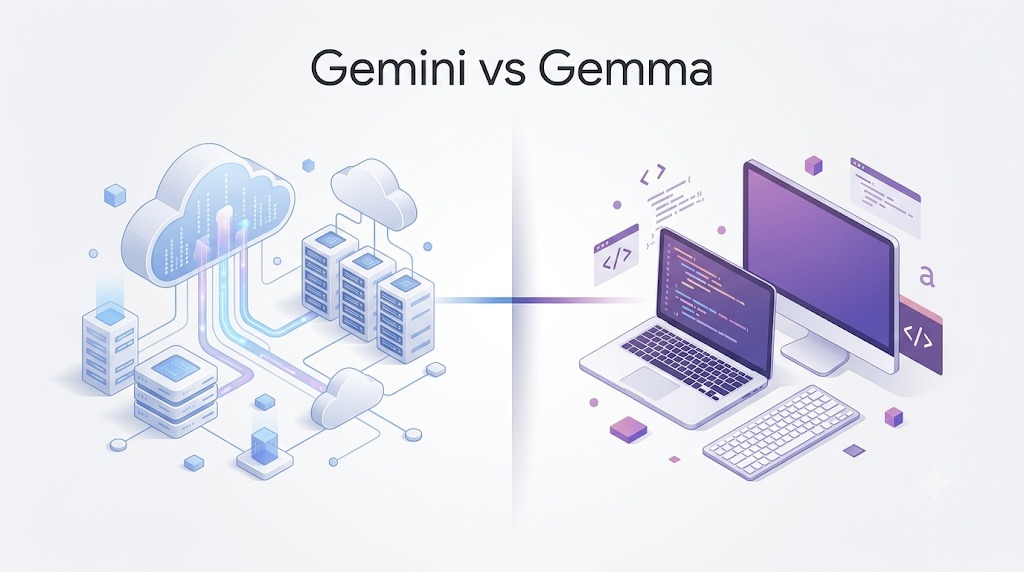
Gemini is Google’s proprietary model family. You generally interact with it through Google products or developer APIs.
Gemma, on the other hand, is an open-model family whose weights can be downloaded under its applicable terms. That gives developers more freedom over where and how they run supported models.
Think of it this way:
Gemini: “Give me a prompt, and Google’s infrastructure handles the model.”
Gemma: “Here are model weights you can work with yourself.”
That difference changes the developer experience.
| label | Gemini | Gemma |
|---|---|---|
| Main idea | Hosted/proprietary models | Open models with downloadable weights |
| Where it runs | Primarily Google’s infrastructure | Supported local or hosted environments |
| Control | More limited | More control over deployment |
| Best for | Using Google’s AI services | Experimenting, building and adapting models |
One thing to remember: open-weight does not mean “Google gave away every part of the training process.” You get access to the weights, but that is not the same as having every training dataset, internal infrastructure detail, or proprietary research process.
3. So… What Does “Open-Weight” Actually Mean?

This is probably the phrase that sounds more complicated than it really is.
A trained AI model contains a huge collection of numerical parameters called weights. During training, those values are adjusted so the model learns patterns and becomes useful at tasks such as generating or understanding text.
When a model is open-weight, those trained weights are made available to users.
A simple way to picture it:
Imagine someone gives you a finished cake and lets you take it home. You can taste it, study it, serve it, or use it as a starting point for something else. But that doesn’t mean they handed you every detail of the bakery, every supplier they used, or a recording of every step they took.
That’s the basic idea behind open-weight models.
And this distinction matters because people often use “open-source” and “open-weight” as if they mean exactly the same thing. They don’t necessarily.
4. Why Does Gemma Matter?
For a student, the biggest attraction is freedom to experiment.
You can explore how different model sizes behave, test prompts locally, learn about inference, experiment with fine-tuning, and build projects without making every experiment depend on a paid API. Google also provides documentation for deploying and fine-tuning its open models in different environments.
It also changes the way you learn.
Instead of only asking, “What can this AI do?”, you can start asking:
- How much hardware does this model need?
- What happens when I change the model?
- Can I fine-tune it for a specific task?
- How does a local model compare with a hosted one?
- What trade-offs come with smaller models?
Those questions are where AI starts becoming more than just a tool you use.
For students building projects, that hands-on experience can be much more valuable than memorising another list of AI buzzwords.
5. The Gemma Family — A Basic Overview

One thing that can confuse beginners is assuming there is only one model.
The family has evolved through multiple generations and includes models and specialised variants aimed at different kinds of tasks. Current Google documentation lists newer members too, so it’s better to think of it as a growing ecosystem rather than one fixed model.
You’ll see different model sizes and variants depending on what you want to build. Smaller models can be more practical for limited hardware, while larger ones generally need more resources.
For example, current Google documentation includes Gemma 4 models such as the 26B A4B instruction-tuned model and the 31B instruction-tuned model.
There are also specialised models built for particular areas, so choosing a model is less about finding the “biggest” one and more about asking:
What am I actually trying to build?
If you’re a beginner, starting with a smaller model can be a much better learning experience than immediately trying to run the largest model available.
6. API vs Local AI
Now we reach a question that matters when you actually want to build something.
An API lets your application send a request to a model hosted somewhere else and receive a response. You don’t have to manage the model’s hardware yourself.
Running an AI model locally is different. You download the required model files and use compatible software and hardware on your own machine.
Here’s the simple difference:
API: “I’ll send my request to a service. They’ll run the model.”
Local: “I’ll run the model on my own setup.”
Neither option is automatically better.
An API is usually easier when you don’t have powerful hardware. Local deployment gives you more control, but you also become responsible for the setup, performance, storage and hardware requirements.
That’s why model size matters. A tiny model and a large model can have very different hardware needs.
7. Where Can You Actually Use It?
This is where things get fun.
You could use open models like Gemma as the foundation for:
- A student-focused AI tutor
- A document summariser
- A question-answering tool
- A coding assistant
- A private document-analysis application
- A prototype chatbot
- A text-generation or classification workflow
You can also use them as a learning playground. Build something small, see where it fails, change your approach, and try again.
For an AI student, that cycle is incredibly useful because you’re learning both the possibilities and limitations of modern models.
And that’s probably one of the strongest reasons to explore this ecosystem: you’re not just consuming AI. You’re getting closer to building with it.
So… Should You Care About Gemma?

If you’re learning AI, Python, machine learning or AI application development, I’d say yes — at least enough to experiment with it.
You don’t need to become an expert immediately. You don’t need the biggest model. And you definitely don’t need to understand every technical detail before writing your first program.
Start with the basic idea:
Gemini is a hosted/proprietary model family. Open-weight models give you downloadable weights and more control over how you work with them.
Once that clicks, the rest becomes much easier to understand.
And honestly, Gemma becomes much more interesting once you stop thinking of it as just another chatbot and start thinking of it as something you can actually build with.
Sources & Further Reading
Google DeepMind — Gemma
https://deepmind.google/models/gemma/
Google AI for Developers — Gemma
https://ai.google.dev/gemma
Gemma Documentation
https://ai.google.dev/gemma/docs
Gemma Models
https://ai.google.dev/gemma/docs/models
Gemma 4 Documentation
https://ai.google.dev/gemma/docs/gemma-4
What’s Next?
In Part 2, we’ll stop talking about the idea and actually get practical: how to access a model, what tools you can use, and what your first simple experiment could look like.
Because knowing what an AI model is feels nice.
Actually making it do something? That’s where the fun starts.
Pingback: 10 Things AI Agents Can Do That Chatbots Can’t - Beyond The Algorithm
Pingback: Why Students Should Attend DevFest Gandhinagar 2026
The distinction between Gemini’s hosted chatbot approach and Gemma’s downloadable model weights is explained clearly, especially for beginners. The focus on why students might care makes the technical idea feel practical rather than abstract.