Imagine opening your laptop, generating AI Python code with one prompt, and watching 50 lines appear on your screen in three seconds.
You run it once. It works. You feel like a 10x developer.
Then you pass real data into it—maybe a missing value, an empty list, or a slightly messy input—and suddenly the whole thing breaks. (If you’ve ever wondered whether AI can actually replace real debugging, I wrote about that in AI Coding: Will AI Replace Programmers?.)
I’m going to be honest: this happened to me more times than I want to admit. When I first started using AI to write Python, I used to copy, paste, and move on. It felt super fast at first, until I realized I was spending more time fixing weird AI bugs than I would have spent writing the code myself.
The problem isn’t that AI is bad at Python. The problem is that AI writes code that looks right on the surface, even when small bugs are hiding underneath.
So instead of blindly trusting whatever the AI gives me, I started running every AI-written Python script through a super simple, 3-tool check on my laptop before using it: uv, Ruff, and pytest.
It takes less than 10 seconds to run, and it catches almost every silly mistake AI makes. Here is how it works in plain English.
Why AI Python Code Looks Right (Even When It’s Broken)
Have you ever read an AI-generated answer that sounded 100% confident, only to find out later it was wrong? Just like why AI hallucinates confidently wrong answers, AI-generated code can look clean on the surface while hiding subtle bugs underneath.
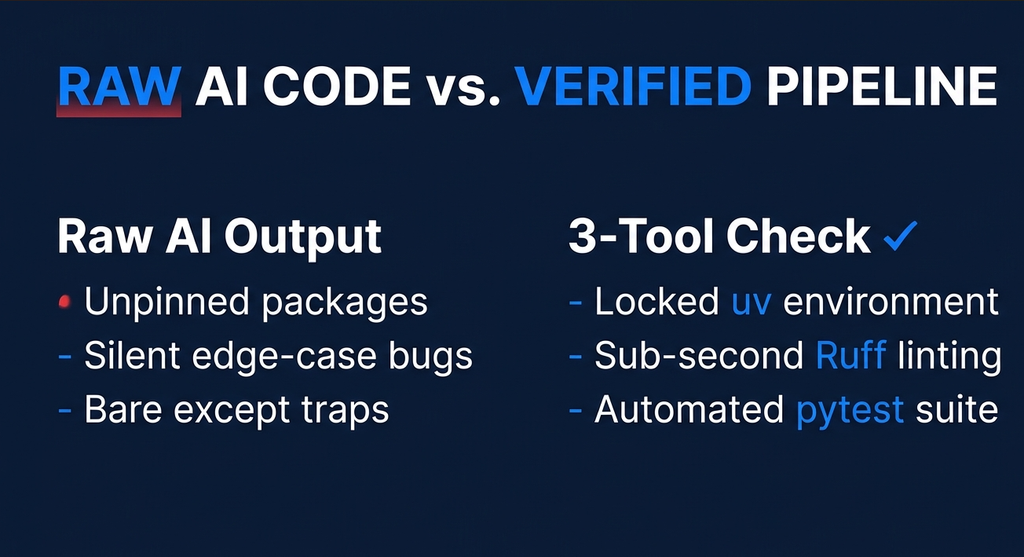
When an AI writes Python for you, it usually makes three sneaky mistakes:
- It forgets edge cases: It assumes your data will always be clean and neatly formatted. The moment a
Noneor an unexpected text string shows up, it crashes. - It uses old Python habits: AI models were trained on millions of older tutorials, so they often add unused imports, outdated typing styles, or classic Python traps like
bucket=[]inside a function header. - It hides errors instead of fixing them: Sometimes AI wraps code in a lazy
try...except: passblock just to stop it from crashing—which means your code fails silently without telling you what went wrong.
If checking your code feels boring or slow, you won’t do it. That is why I picked three tools that run in under a second.
My Simple 3-Tool Python Check
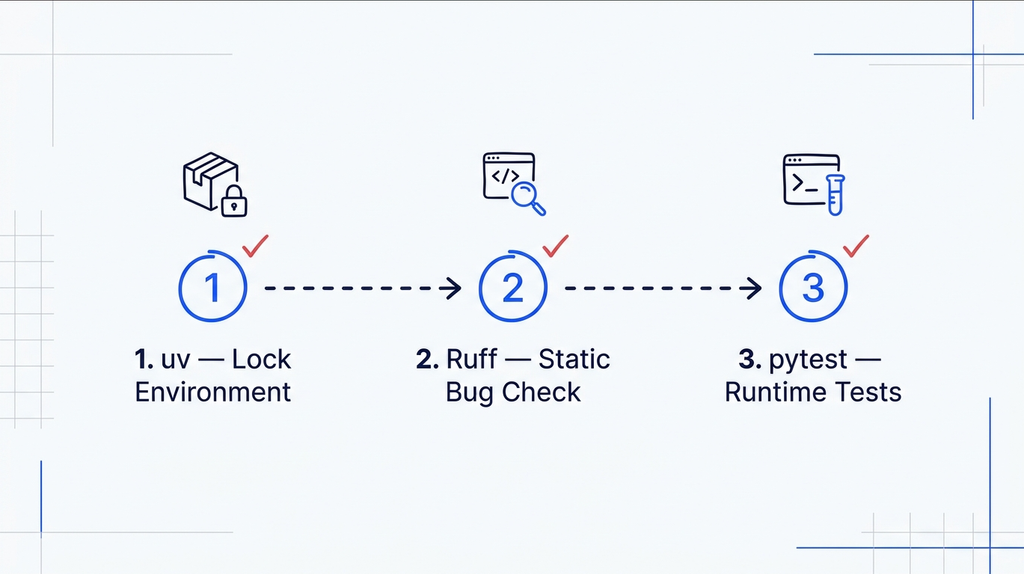
Think of these three tools like a quick security check before your code goes anywhere:
| Tool | What It Does (In Simple Words) | How Fast It Runs |
uv | Creates a clean, separate Python folder so AI packages don’t mess up your laptop | Under 1 second |
Ruff | Scans your code line by line to catch unused imports, messy style, and hidden Python traps | ~20 milliseconds |
pytest | Tests your function with messy, real-world inputs to make sure it doesn’t break | Under 1 second |
Step 1: Keep Your Setup Clean with uv
Whenever you test AI-generated code, never install random libraries straight onto your main laptop environment. One bad package update can break your other projects.
I use uv, which is a modern, super-fast Python project manager. With just three commands in your terminal, it creates a clean project folder and installs Ruff and pytest:
Bash
mkdir python-check
cd python-check
uv init
uv add --dev ruff pytest
That’s it. Everything stays neatly inside this one folder.
Step 2: Add One Simple Rule File (pyproject.toml)
By default, code checkers only look for small formatting things like extra spaces. We want Ruff to catch actual logic mistakes that AI loves to make.
Open the pyproject.toml file inside your folder and paste this inside:
Ini, TOML
[project]
name = "python-check"
version = "0.1.0"
requires-python = ">=3.12"
dependencies = []

[dependency-groups]
dev = [
    "pytest>=8.3.0",
    "ruff>=0.9.0",
]

[tool.ruff]
line-length = 88

[tool.ruff.lint]
# E/F = basic errors & unused imports
# B = common Python bugs (like mutable defaults and bare except)
# I = clean import sorting
# UP = modern Python syntax
select = ["E", "F", "B", "I", "UP"]
You only have to set this up once.
Step 3: Let’s Catch Real Bugs in an AI Script
Let’s test this on a real example. Suppose you ask an AI: “Write a Python function that collects usernames of active users with a score of 80 or higher.”
Here is what the AI might give you (scorer.py):
Python
import json
import os


def get_top_users(users, min_score=80, result=[]):
    for u in users:
        try:
            if u["active"] == True and u["score"] >= min_score:
                result.append(u["name"])
        except:
            pass
    return result
Looks pretty normal, right? Now run Ruff in your terminal:
Bash
uv run ruff check .
Immediately, Ruff spots the hidden problems:
Plaintext
scorer.py:1:8: F401 `json` imported but unused
scorer.py:2:8: F401 `os` imported but unused
scorer.py:5:44: B006 Do not use mutable data structures for argument defaults
scorer.py:9:9: E722 Do not use bare `except`
Look at what it caught in a fraction of a second:
result=[]in the function line: In Python, putting an empty list inside a function definition means Python reuses that exact same list every time you call the function. If you run it twice, old names from the first run stay stuck inside!- Bare
except: pass: If a user dictionary is missing"score", the AI just silently ignores it instead of handling it properly. - Unused imports:
jsonandosaren’t even used anywhere.
Here is the clean, safe version after fixing what Ruff pointed out:
Python
def get_top_users(users: list[dict], min_score: int = 80) -> list[str]:
    top_users = []

    for user in users:
        if not isinstance(user, dict):
            continue

        if user.get("active") is True and isinstance(user.get("score"), (int, float)):
            if user["score"] >= min_score and isinstance(user.get("name"), str):
                top_users.append(user["name"])

    return top_users
Step 4: Test Weird Inputs with pytest
Ruff checks how your code is written, while pytest checks how your code actually behaves when things get messy.
Create a file called test_scorer.py and throw a few tricky cases at it:
Python
from scorer import get_top_users


def test_normal_users():
    data = [
        {"name": "Riya", "active": True, "score": 90},
        {"name": "Aarav", "active": False, "score": 95},
    ]
    assert get_top_users(data) == ["Riya"]


def test_does_not_repeat_old_results():
    first_run = get_top_users([{"name": "Riya", "active": True, "score": 90}])
    second_run = get_top_users([])
    assert first_run == ["Riya"]
    assert second_run == []


def test_messy_data_does_not_crash():
    bad_data = [
        {"name": "Kabir", "active": True, "score": "not-a-number"},
        {"active": True, "score": 99},
    ]
    assert get_top_users(bad_data) == []
Now run everything together in one line:
Bash
uv run ruff check . --fix && uv run pytest
If both pass, you know your AI-generated script is clean, safe, and won’t break the moment real data touches it.
Final Thought
Using AI to write Python isn’t cheating—it’s one of the best ways to build faster. But letting AI write code without checking it is like driving fast without brakes.
Pair AI’s speed with a 10-second check using uv, Ruff, and pytest, and you get the best of both worlds: fast code that you can actually trust.
What is the weirdest bug an AI tool has ever slipped into your code? Drop it in the comments—I’d love to read it!
Read Next on Beyond The Algorithm
- https://btawrites.com/ai-coding/ — What AI actually does well in coding, and where human developers still matter most.
- https://btawrites.com/why-does-ai-hallucinations-seems-real/— Why AI sounds completely sure of itself even when the output is broken.
- https://btawrites.com/python-libraries-for-ai/ — Build out the rest of your practical Python toolkit.
Resources & Official Docs
- uv Documentation (Astral) — Official installation guide, project initialization (
uv init), and dependency management commands. - Ruff Rules Reference (Astral) — Complete breakdown of the linter rules used in this post, including
F(Pyflakes),B(Flake8-Bugbear),I(isort), andUP(pyupgrade). - pytest Documentation — Official guide to writing and running unit tests in Python.
- Python
pyproject.tomlSpecification — Official Python Packaging Authority guide on structuring modernpyproject.tomlfiles.