Imagine opening your laptop, typing one sentence into an AI tool, and watching it generate hundreds of lines of code in seconds. No endless Googling, no staring at an error for three hours, and no wondering why your perfectly reasonable Python program suddenly refuses to work.
Sounds like a programmer’s dream, right?
But there is a catch. If artificial intelligence can write code, debug errors, and even build entire applications, what happens to the people whose job is to do exactly that?
This question has become increasingly important as AI Coding tools transform the way developers learn, build, and solve problems. Some people believe AI will eventually replace programmers. Others argue that it will make developers more productive than ever.
The truth is more interesting than either prediction.
Let’s explore what is actually happening, what it means for beginner developers, and which skills will matter as programming continues to evolve.
What Is AI Coding?
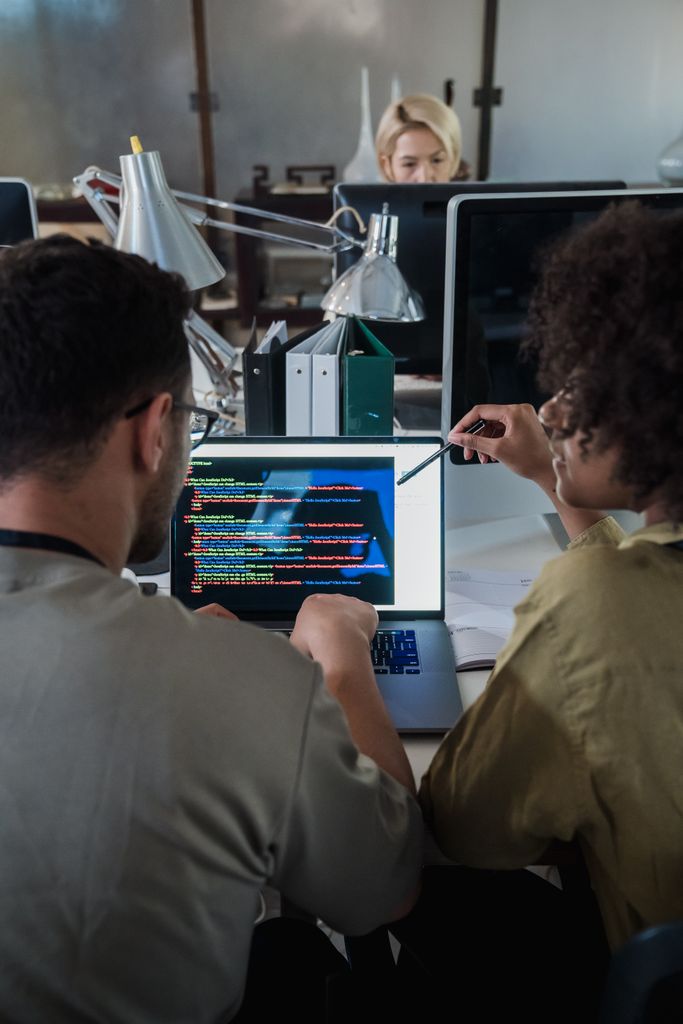
AI Coding refers to the use of artificial intelligence to assist with writing, understanding, testing, and improving computer programs. Instead of manually writing every line, developers can describe what they want to build and use AI tools to generate or modify code.
For example, imagine you want to create a simple calculator using Python. Traditionally, you would write the code yourself, search for syntax when needed, and debug any mistakes. With an AI coding assistant, you could describe the calculator’s functionality and receive a possible implementation within seconds.
Tools such as GitHub Copilot, ChatGPT, and AI-powered development environments can help generate functions, explain unfamiliar code, suggest improvements, and identify potential errors.
However, generating code is only one part of software development. Understanding requirements, choosing the right architecture, checking security, testing edge cases, and maintaining a project still require careful judgment.
Think of AI as an assistant that can work quickly, not as a magical machine that automatically knows whether every decision is correct.
How Is AI Coding Changing the Way Developers Work?
The biggest change is not simply that code can be generated faster. It is that developers can approach programming differently.
1. Writing code is becoming faster
Developers can explain a task in natural language and receive suggested code instead of starting from a blank screen. This can be particularly helpful when creating repetitive functions, writing boilerplate code, or exploring unfamiliar libraries.
For example, a developer building a website might ask an AI assistant to create a form, validate user input, and explain how the components work.
The developer still needs to review the result, but the initial implementation can take considerably less time.
2. Debugging is becoming more accessible
Almost every programmer has encountered an error message that looks like it was written specifically to ruin their day.
AI Coding tools can help explain these messages, identify possible causes, and suggest fixes. They can also help developers understand unfamiliar code rather than simply copying a solution from an online forum.
That makes debugging less intimidating, especially for beginners who have not yet developed strong troubleshooting skills.
3. Learning new technologies is becoming easier
Suppose you know basic Python but want to understand Flask, APIs, or machine learning libraries. You can ask an AI assistant to explain concepts, generate small examples, and help you interpret error messages.
This is particularly useful when learning independently. Instead of waiting for someone to answer a question, you can investigate a problem immediately.
If you are building your programming foundation, start with our guide to Python Libraries for AI, which introduces useful libraries and their roles in AI development.
The important distinction is that getting an answer is not the same as understanding it. You still need to experiment, modify the code, and solve problems without depending entirely on assistance.
Will AI Replace Programmers?
IS BEING WRITTEN.
One writes the code.
One changes how it’s written.
Intelligence
Intelligence
Let’s address the question everyone is asking.
AI will automate some programming tasks, but that does not automatically mean it will replace programmers altogether.
Software development involves far more than converting instructions into code. Developers must understand what users need, make technical decisions, evaluate trade-offs, protect data, and ensure that applications behave correctly in real situations.
AI can assist with many of these activities, but its output can also contain bugs, security vulnerabilities, outdated assumptions, or solutions that fail when requirements change.
Consider a business that wants an application for managing customer information. Generating a login page is relatively straightforward. Building a secure application that handles permissions, protects customer data, recovers from failures, and remains maintainable over time is a much larger challenge.
Someone must understand the problem, verify the implementation, and take responsibility for the result.
That is why the future of AI Coding is more likely to involve changing programming roles than eliminating the need for human developers entirely.
However, this does not mean every programming job is guaranteed to remain unchanged. Routine tasks may become less valuable when AI can perform them efficiently, and employers may increasingly expect developers to accomplish more with modern tools.
The real question is not whether programmers will write code in exactly the same way forever. It is whether they can adapt to the changing nature of software development.
What Does AI Coding Mean for Beginner Developers?
If you are learning programming right now, you might wonder whether spending months learning Python, Java, or C++ is still worth it.
Absolutely. But the way you learn matters.
Beginners have access to tools that previous generations of developers could only imagine. At the same time, relying on these tools without developing fundamental skills can create serious gaps in understanding.
Here are three things every beginner should focus on.
1. Understand the fundamentals before automating everything
Learn variables, loops, functions, data structures, object-oriented programming, and basic algorithms. You do not need to memorise every syntax rule, but you should understand how programs work and why a particular solution makes sense.
When an AI-generated function produces an unexpected result, foundational knowledge helps you investigate the problem instead of blindly accepting the answer.
2. Use AI as a tutor, not a substitute for thinking
Ask an AI assistant to explain a solution line by line. Request alternative approaches. Predict what the code will do before running it, then compare your prediction with the actual output.
This turns AI Coding into a learning opportunity rather than a shortcut that prevents you from developing independent problem-solving skills.
For a useful starting point, read NumPy Basics: A Beginner’s Guide. Working through practical examples is a good way to strengthen your Python skills while learning how a widely used numerical computing library operates.
3. Build projects that solve actual problems
Tutorials are useful, but projects reveal whether you can apply what you have learned.
Build a personal expense tracker, a student attendance application, a simple chatbot, or a small website with a database. Start with a manageable version and improve it gradually.
You can use AI to brainstorm features, explain unfamiliar concepts, and help debug errors. However, make sure you understand the important decisions and can explain how your application works.
A small project you genuinely understand is more valuable than a complicated project you cannot explain during an interview.
The Skills That Will Matter in the Future
As AI Coding becomes more common, knowing how to produce code will remain useful, but developers will also need skills that help them evaluate, improve, and apply that code effectively.
Problem-solving and logical thinking
AI can suggest several possible solutions, but deciding which solution fits the problem requires reasoning. Developers need to break complicated tasks into smaller steps, identify constraints, and understand the consequences of their choices.
Code review and debugging
Generated code should never be treated as automatically correct. Developers need to read unfamiliar implementations, test assumptions, identify edge cases, and understand why something fails.
System design and software fundamentals
As projects grow, questions about databases, APIs, architecture, scalability, and security become increasingly important. A working function is only one component of a reliable application.
Communication and understanding requirements
Clients and users do not always explain their needs precisely. Developers must ask the right questions, clarify expectations, and translate real-world problems into technical solutions.
AI literacy
Developers should understand the strengths and limitations of AI tools, how to write useful instructions, and how to verify generated results. They should also recognise privacy and security risks when working with proprietary code or sensitive information.
These abilities complement technical knowledge. Together, they help developers use AI effectively without surrendering their judgment to it.
Can Beginners Build Projects Using AI?
Yes, and this is one of the most exciting opportunities available to new developers.
AI Coding can help beginners move from an idea to a working prototype more quickly. Someone with basic programming knowledge can explore web development, automate repetitive tasks, experiment with APIs, or create a small machine learning application.
For instance, you could build a student study planner that organises assignments, a website that summarises notes, or a Python program that analyses a dataset.
But remember that a project working once does not prove it is reliable. Test different inputs, handle errors, review dependencies, and understand how your application processes information.
There is also a difference between using AI to learn and allowing it to make every decision. If you cannot explain your own project, you may struggle to modify it when something breaks.
Use AI to accelerate experimentation, not to skip the learning process.
The Limitations of AI Coding Tools
Despite their capabilities, AI programming tools have several important limitations.
They can generate incorrect code. A solution may look convincing while containing logical mistakes or failing under unusual conditions.
They may misunderstand the requirements. If your instructions are incomplete or ambiguous, the generated implementation may solve the wrong problem.
They can introduce security risks. Suggested code may mishandle authentication, user input, permissions, or sensitive information.
They may struggle with complex project context. Large applications contain dependencies, design decisions, and hidden assumptions that cannot always be understood from a short prompt.
They can create false confidence. Code that runs successfully is not necessarily secure, maintainable, efficient, or correct.
These limitations explain why developers need to inspect, test, and validate AI-generated work. Speed matters, but producing a reliable solution matters more.
How to Start Learning AI Coding Without Becoming Dependent on AI
If you are a student or beginner developer, you do not need to choose between traditional programming and AI-assisted development. Learning both approaches can prepare you for a more flexible workflow.
Start by learning one programming language properly. Python is an approachable choice for beginners and is widely used in automation, data analysis, and artificial intelligence.
Next, practise solving small problems without assistance. Write functions, work with lists and dictionaries, and learn to interpret common errors.
Once you understand the basics, introduce AI tools into your workflow. Ask for explanations, request hints before complete solutions, and compare different implementations. When you receive generated code, try to explain each important section in your own words.
Finally, build projects and use version control, testing, and documentation as part of your process.
You can also explore the wider field of artificial intelligence through our article on Python Libraries for AI. Understanding the tools behind AI applications can help you move beyond simply using AI and begin building with it.
The goal is not to become the fastest person at generating code. It is to become a developer who understands problems, chooses appropriate tools, and creates software that works reliably.
Final Thoughts: Programmers Are Evolving, Not Simply Disappearing
AI Coding is changing programming by making certain tasks faster, lowering barriers to experimentation, and giving developers new ways to approach familiar problems.
But writing software is not just about producing lines of code. It involves understanding people, making decisions, solving unfamiliar problems, and ensuring that the final product works as intended.
Some tasks will become increasingly automated, and programming careers will continue to evolve. Developers who refuse to adapt may find the transition difficult, while those who combine strong fundamentals with effective AI use will be better positioned to take advantage of new opportunities.
For beginners, this is not a reason to abandon programming. It is a reason to learn it thoughtfully.
Learn the fundamentals. Build projects. Question generated answers. Develop your ability to solve problems independently.
And remember: the most useful developer is not necessarily the one who writes every line manually or the one who generates the most code with AI. It is the one who understands what needs to be built, knows how to build it, and can determine whether the result is actually good.
The future of programming will not be decided by AI alone. It will also depend on how people choose to use it.
At BTA Writes, we explore technology one concept at a time, helping curious learners understand not just what AI can do, but how to work with it intelligently.
- GitHub Copilot Documentation — Learn how AI coding assistance works and how developers can use it in their workflow.
https://docs.github.com/en/copilot - GitHub Blog — Explore updates, research, and practical insights into AI-assisted software development.
https://github.blog/ - Stack Overflow Developer Survey — Explore developer trends, tools, and perspectives on AI in software development.
https://survey.stackoverflow.co/ - OpenAI Documentation — Learn about AI models and tools that can assist with coding and software development.
https://platform.openai.com/docs - Google for Developers — Explore programming resources, development tools, and AI-related technologies.
https://developers.google.com/