
Python is one of the most beginner-friendly programming languages, and before writing any advanced programs, you must understand the four core foundations:
Variables, Data Types, Comments, and Type Casting.
In this blog, we’ll learn each topic with simple definitions, neat examples, and clear explanations.
🔹 1. Variables in Python
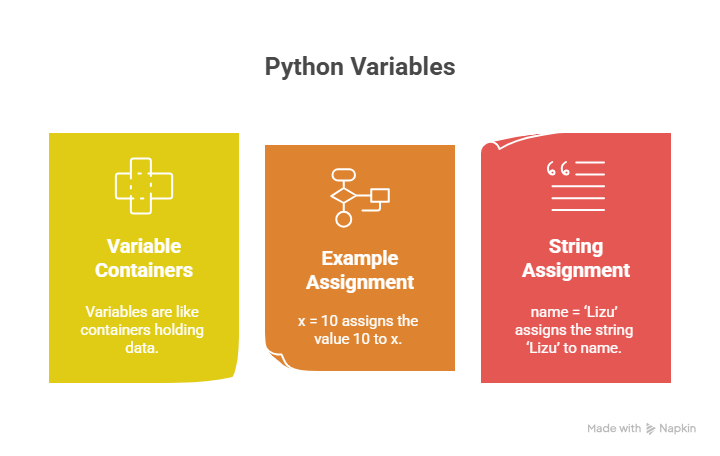
What is a Variable?
A variable in Python is a symbolic name that is a reference or pointer to an object.
In simple terms, variables are like containers that you can fill with different types of data values. Once a variable is assigned a value, you can use that variable in place of the value.
We assign value to a variable using the assignment operator (=).
syntax:
variable_name = valueexample:
greeting = "Hello World"
print(greeting)
Variable Examples:
PythonLevel  = "Beginner"  # Pascal case
pythonLevel  = "Beginner"  # Camel case
pythonlevel  = "Beginner"  # Flat case
python_level = "Beginner"  # Snake case
x = 10
print(x + 1)
a, b, c = 1, 2, 3
print(a, b, c)
Variable Naming Rules
- Must start with a letter or an underscore
_. - Can contain letters, numbers, and underscores.
- Case-sensitive (
my_nameandmy_Nameare different). - Cannot use reserved keywords (
for,if,whileetc.).
_my_name = "Madhav"
# for = 26 → ❌ ERROR (reserved keyword)
10 Variable Examples (Basic to Advanced)
Example 1
age = 20
print(age)
Example 2
name = "Lizu"
print(name)
Example 3
height = 5.6
print(height)
Example 4
is_student = True
print(is_student)
Example 5
x, y, z = 1, 2, 3
print(x, y, z)
Example 6
first_name = "Rohan"
last_name = "pandey"
full_name = first_name + " " + last_name
print(full_name)
Example 7
score = 50
score += 10
print(score)
Example 8
city = "Ahmedabad"
print("City:", city)
Example 9
pi = 3.1416
print(pi)
Example 10
value = None
print(value)
2. Data Types in Python
What Are Data Types?
In Python, a data type is a classification that specifies the type of value a variable can hold.
We can check the data type using the type() function.
Examples
my_name = "Madhav"
value = 101

type(my_name)   # <class 'str'>
type(value)     # <class 'int'>
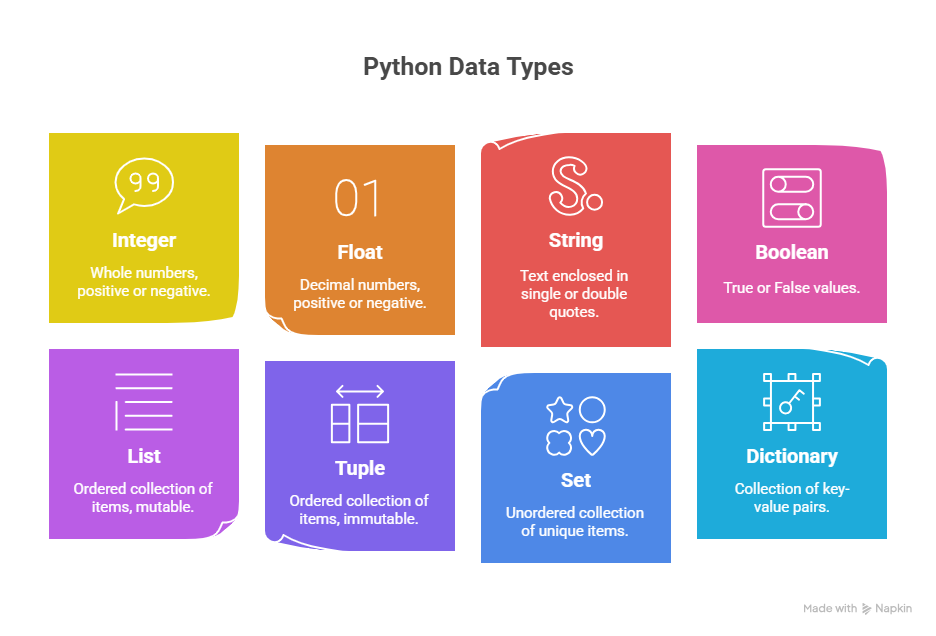
Basic Data Types in Python
Python supports several types of data:
- Numeric: Integer, Float, Complex
- Sequence: String, List, Tuple
- Dictionary
- Set
- Boolean
- Binary: Bytes, Bytearray, Memoryview
10 Data Type Examples
Example 1 – Integer
age = 25
print(type(age))
Example 2 – Float
price = 199.99
print(type(price))
Example 3 – String
name = "Lizu"
print(type(name))
Example 4 – Boolean
is_active = True
print(type(is_active))
Example 5 – List
numbers = [1, 2, 3]
print(type(numbers))
Example 6 – Tuple
coords = (10, 20)
print(type(coords))
Example 7 – Dictionary
student = {"name": "Lizu", "age": 20}
print(type(student))
Example 8 – Set
fruits = {"apple", "banana"}
print(type(fruits))
Example 9 – Bytes
data = b"Hello"
print(type(data))
Example 10 – Boolean again
flag = False
print(type(flag))
3. Comments in Python
What is a Comment?
A comment in Python is a line of text that the interpreter ignores.
Comments are used to make your code more understandable.
You write comments for explaining logic, documenting code, or making notes inside the script.
How to Write Comments in Python?
✔ Single-line Comment
# This is a single-line comment
✔ Multi-line Comment
"""
This is a multi-line comment.
Used for documentation.
"""
# Print message
print("Hello World")
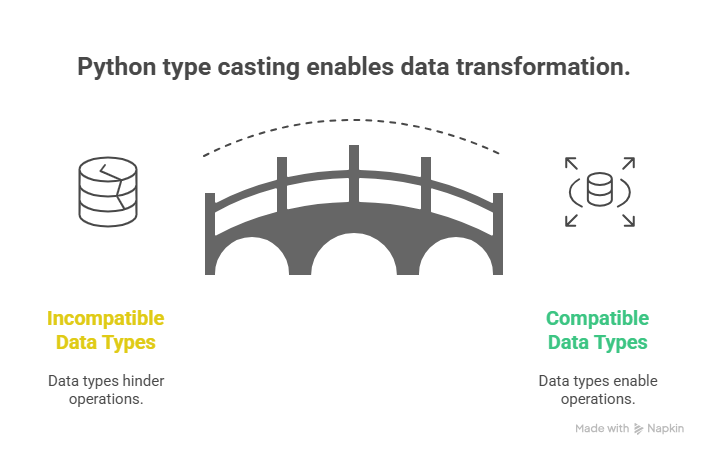
🔹 4. Type Casting in Python
What is Type Casting?
Type casting refers to converting one data type into another.
Also known as data type conversion.
Python provides built-in functions like:int(), float(), str(), list(), tuple(), set(), dict(), bool()
Types of Type Casting
✔ Implicit Type Casting
Automatically performed by Python to avoid data loss.
✔ Explicit Type Casting
Manually done by the programmer.
10 Type Casting Examples
Example 1 – String → Integer
x = "26"
y = int(x)
print(y)
Example 2 – Float → Integer
x = 3.5
print(int(x))
Example 3 – Integer → Float
x = 10
print(float(x))
Example 4 – Integer → String
x = 25
print(str(x))
Example 5 – Boolean Conversion
print(bool(0)) # False
Example 6
print(bool(1)) # True
Example 7 – String → Float
x = "3.14"
print(float(x))
Example 8 – Number → Bool
x = 50
print(bool(x))
Example 9 – Implicit Casting
x = 10
y = 5.5
result = x + y
print(result)           # 15.5
print(type(result))     # float
Example 10 – Explicit Casting
str_num = "100"
int_num = int(str_num)
print(int_num + 50)
Sources & References
- Official Python Documentation
https://docs.python.org/3/ - W3Schools – Python Tutorial
https://www.w3schools.com/python/ - GeeksforGeeks – Python Programming Language
https://www.geeksforgeeks.org/python-programming-language/ - Rishabh Mishra – Python Notes & Tutorials (YouTube Channel)
https://www.youtube.com/@rishabhmishraofficial - Real Python – Python Guides & Articles
https://realpython.com/
Frequently Asked Questions (FAQs)
1. What is a variable in Python?
A variable is a name used to store a value in memory. It acts like a container that holds data, and you can reuse that value anywhere in the program.
2. Do I need to declare the data type while creating a variable?
No. Python automatically detects the type based on the assigned value.
3. What are valid variable naming rules in Python?
- Must start with a letter or underscore
- Cannot start with a number
- Cannot use keywords like
for,if,while - Case-sensitive (
nameandNameare different)
4. What are data types in Python?
Data types define the category of data stored in a variable, such as int, float, string, list, tuple, set, dict, and boolean.
5. How can I check the data type of a variable?
Use the type() function.
Example: type(10) → <class 'int'>.
6. What is a comment in Python?
A comment is a non-executable line used to explain code. Python ignores comments.
Use # for single-line and ''' ... ''' for multi-line comments.
7. Why are comments important?
They make your code easier to understand, debug, and maintain.
8. What is type casting in Python?
Type casting means converting one data type to another using functions like int(), float(), str(), list() etc.
9. What is implicit type casting?
Conversion done automatically by Python when two different data types interact.
Example: int + float → float.
10. What is explicit type casting?
Manual conversion using functions like int(), float(), str(), etc., done by the programmer.
11. Can I convert a string containing alphabets into an integer?
No. "abc" cannot be converted to an integer and will cause an error.
12. What happens if I convert a float to an integer?
The decimal part is removed.
Example: int(10.9) → 10.
13. Can lists be converted into sets or tuples?
Yes.
set([1,2,3])tuple([1,2,3])
14. What data type is used for True/False values?
bool → Boolean type.
Examples: True, False.
15. Is Python case-sensitive?
Yes. name, Name, and NAME are three different variables.