
Welcome back.
In Part 1, we behaved like responsible students and learned:
Variables, Data Types, Comments, and Type Casting.
Now it’s time for something powerful.
Today we are learning Operators in Python.
Operators are the reason your code actually does something instead of just sitting there like a decorative plant.
🔹 What Are Operators in Python?
An operator is a symbol that performs an operation on values or variables.
Translation:
It makes things happen.
Example:
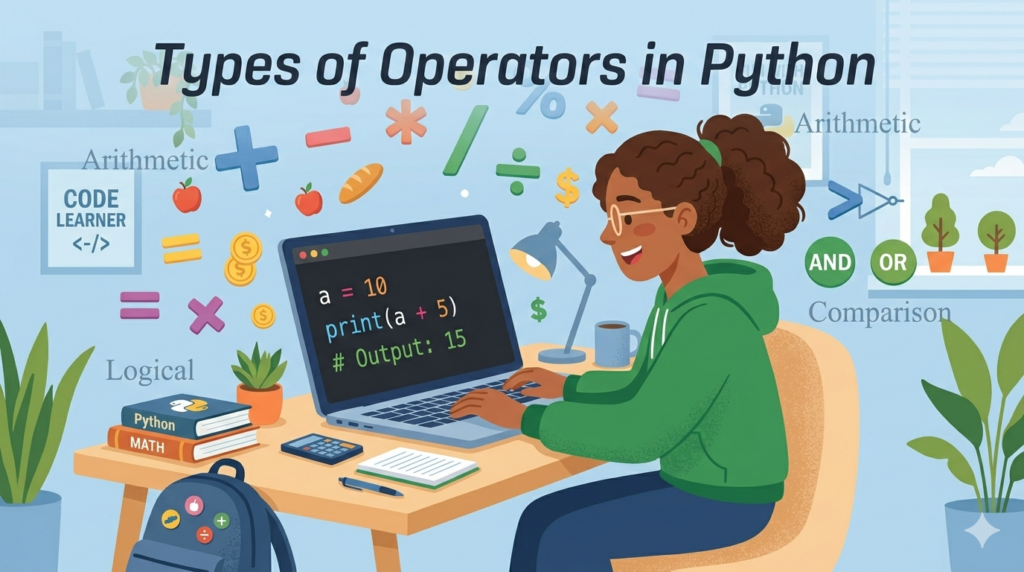
a = 10
b = 5
print(a + b)
Output:
15
That tiny + just did math.
Small symbol. Big attitude.
No, we are not running away.
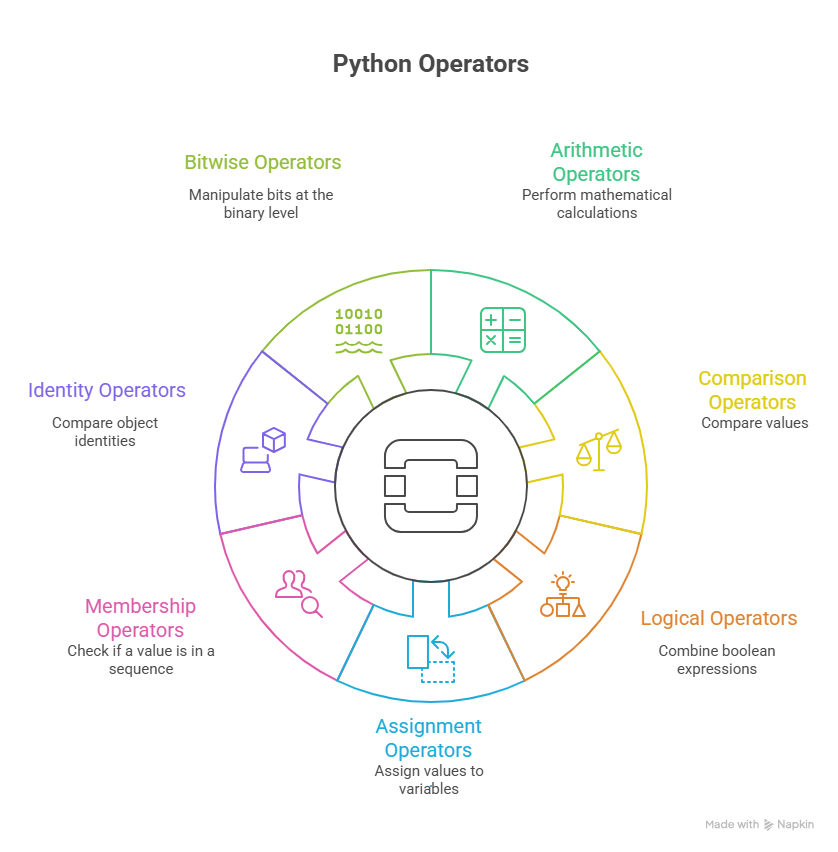
1️⃣ Arithmetic Operators in Python
Used for math.
And before you say “I hate math” —
Relax. Python is doing it for you.
| Operator | Meaning |
|---|---|
| + | Addition |
| – | Subtraction |
| * | Multiplication |
| / | Division |
| // | Floor Division |
| % | Modulus |
| ** | Power |
🧮 Example – Shopping Bill
price = 299
quantity = 2
total = price * quantity
print(total)
If you mess this up in real life, the shopkeeper wins.
So let’s not embarrass ourselves in code.
🧮 Example – Even or Odd
number = 17if number % 2 == 0:
    print("Even")
else:
    print("Odd")
% checks remainder.
If remainder = 0 → even.
This operator is tiny but powerful.
Like that one friend who looks innocent but knows all the secrets.
🧮 Difference Between / and //
print(10 / 3)
print(10 // 3)
Output:
3.3333
3
/ → gives decimal// → removes decimal
Think of // as:
“Decimals? Not in my house.”
You know I can write examples for every operator, but try it on your own to feel it.
2️⃣ Comparison Operators in Python
These compare values.
They return:
True or False.
No maybe.
No emotional confusion.
Just facts.
| Operator | Meaning |
|---|---|
| == | Equal |
| != | Not equal |
| > | Greater |
| < | Less |
| >= | Greater or equal |
| <= | Less or equal |
🎓 Example – Exam Result
marks = 39if marks >= 40:
    print("Pass")
else:
    print("Fail")
One mark difference.
Life is dramatic.
Python is brutal.
⚠ Important:
= → Assignment== → Comparison
If you write:
if marks = 40:
Python will immediately say:
“No.”
And honestly? Deserved.
3️⃣ Logical Operators in Python
Used when one condition is not enough.
| Operator | Meaning |
|---|---|
| and | Both must be True |
| or | At least one must be True |
| not | Reverses result |
🏥 Example – Entry Rule
has_id = True
has_appointment = Falseif has_id and has_appointment:
    print("Entry Allowed")
Both must be true.
and is strict.
Like security at airport.
🎟 Example – Discount
is_student = True
is_senior = Falseif is_student or is_senior:
    print("Discount")
One condition is enough.
or is kind.
We like kind operators.
🌧 Example – Weather Drama
raining = True
print(not raining)
One not can cancel your picnic.
Just like life cancels plans.
4️⃣ Assignment Operators in Python
Basic:
x = 5
Shortcut:
score = 50
score += 10
print(score)
Instead of:
score = score + 10
We write:
score += 10
Because we believe in efficiency.
And laziness.
But productive laziness.
5️⃣ Membership Operators in Python
Check if something exists.
| Operator | Meaning |
|---|---|
| in | Exists |
| not in | Does not exist |
Example:
students = ["Rohan", "Lizu", "Aman"]
print("Lizu" in students)
Python checking attendance like:
“Present? Good.”
6️⃣ Identity Operators in Python
Checks if two variables are the same object in memory.
a = [1, 2, 3]
b = a
c = [1, 2, 3]print(a is b)
print(a is c)
Even if they look the same,
memory says:
“Nope. Different.”
Memory never lies.
7️⃣ Bitwise Operators (Scary but Cool)
These work on binary numbers (0 and 1).
Mostly used in:
- Cryptography
- System programming
- Optimization
If you’re confused, congratulations.
That means you’re growing.
Final Advice
If your code behaves weirdly:
Don’t panic.
Don’t blame Python.
Don’t blame laptop.
Check your operators.
They’re usually the culprits.
🔗 Source Links
Transparency matters. We don’t just wake up and invent Python rules.
Here are some reliable references you can explore:
- Official Python Documentation – https://docs.python.org/3/
- W3Schools Python Operators – https://www.w3schools.com/python/python_operators.asp
- GeeksforGeeks Python Operators Guide – https://www.geeksforgeeks.org/python-operators/
If something ever feels confusing, always cross-check with the official documentation.
Python doesn’t lie.
It just exposes our mistakes.
❓ Frequently Asked Questions (FAQs) About Operators in Python
1️⃣ What is the difference between = and == in Python?
= is used to assign a value.
== is used to compare values.
If you mix them up inside an if condition, Python will reject you immediately.
And honestly… fair.
2️⃣ Why does 10 / 3 give a decimal but 10 // 3 does not?
/ performs normal division.
// performs floor division (removes decimal part).
Think of // as:
“I do not believe in fractions.”
3️⃣ When should I use logical operators?
Use and, or, not when you need to check multiple conditions.
Real life example:
You get pizza only if:
- You finished homework
AND - You cleaned your room
Good luck negotiating with and.
4️⃣ What is the difference between == and is?
== checks if values are equal.
is checks if they are the same object in memory.
Two people wearing the same outfit ≠ same person.
Memory is serious business.
🚨 Common Mistakes Beginners Make (And Yes, You Might Have Done These)
Let’s be honest.
If you haven’t made at least one of these mistakes…
you probably haven’t coded enough yet.
❌ Mistake 1: Using = Instead of ==
if marks = 40:
Python:
“Absolutely not.”
Your brain:
“But it looks right.”
No. It does not.
❌ Mistake 2: Forgetting Indentation After Conditions
if number > 10:
print("Big number")
Python:
“IndentationError.”
And suddenly you start questioning your entire existence.
Indentation in Python is not decoration.
It is law.
❌ Mistake 3: Confusing / and //
You expected:
3
You got:
3.3333333333
Now you’re staring at your screen like Python betrayed you.
It didn’t.
You just didn’t read the operator properly.
❌ Mistake 4: Overusing and When You Needed or
if is_student and is_senior:
So now nobody gets discount.
Brilliant business strategy.
❌ Mistake 5: Ignoring Operator Precedence
result = 10 + 5 * 2
If you expected 30…
we need to talk.
Multiplication happens first.
Math rules still exist.
Python did not cancel them.
Use brackets:
result = (10 + 5) * 2
Brackets save friendships.